NeuroMap® Remote qEEG Analysis
Cosmos Healthcare's proprietary NeuroMap® algorithm enables advanced qEEG analysis — remotely. Wherever you are in the world, simply have a standard 19-channel EEG recording carried out at your nearest centre, and upload your raw EDF file below. Our London-based clinical team will analyse your brain scan and contact you to discuss the findings.
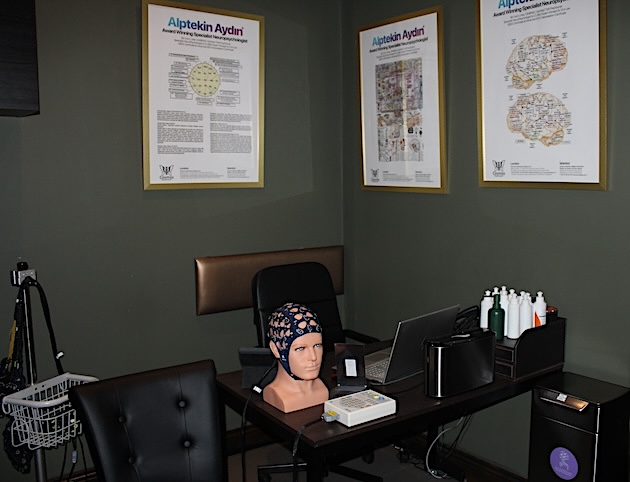
How It Works
Visit any EEG/qEEG centre near you and request a standard 19-channel recording using the international 10–20 system.
Ask the centre for your file in raw, unprocessed EDF format — without artefact removal, re-referencing, or additional filtering.
Complete the form below and upload your .edf file. Our team will analyse your scan and contact you within 3–5 working days.
Before You Upload: EDF File Requirements
NeuroMap can process EDF files from any EEG device brand, but only if the file follows the technical structure below. A file that opens in other EEG software may still fail here. Please check these points before you start.
Download the full requirements and recommended export settings as a PDF and share it with whoever exports your recording.
| Requirement | Required |
|---|---|
| File format | Standard .edf only |
| Maximum file size | 50 MB |
| EEG montage | Standard 19-channel 10-20 montage |
| Data type | Raw, unprocessed EEG recording |
| Sampling rate | 250 or 500 Hz preferred; 128 Hz minimum (avoid 100 Hz) |
| Signal unit | Microvolts (µV) |
| Channel labels | Standard 10-20 labels only, no extra channels |
Your EDF must contain exactly these 19 standard channels, labelled exactly as shown — no software prefixes or suffixes (e.g. not “EEG Fp1”, “Fp1-REF” or “Fp1-A1”).
| Modern label | Use instead |
|---|---|
| T7 | T3 |
| T8 | T4 |
| P7 | T5 |
| P8 | T6 |
The EDF must be raw and unprocessed. Do not apply any of the following after recording:
- Artefact cleaning, ICA or manual segment removal
- Re-referencing, average or linked-ear reference conversion
- Notch filtering or extra high-pass / low-pass filtering
- Channel interpolation or synthetic channel creation
- Amplitude normalisation or spectral preprocessing
Hardware filters that are part of the device’s native recording are fine. Only post-recording software processing should be avoided.
Record and export natively at 250 Hz or 500 Hz where possible. The minimum is 128 Hz. Avoid 100 Hz files: some processing steps apply a low-pass above 50 Hz, and a 100 Hz file (Nyquist limit 50 Hz) may fail. Rates above 500 Hz are usually fine if the file stays under 50 MB.
Upload only the 19 required channels unless our team asks otherwise. Do not include:
A1, A2, FT9, FT10, Fpz, Oz, ECG, EOG, EMG, Bio, Trigger, DTRIG, VSyn, ASyn, LABEL, EDF Annotations or any auxiliary channels.
Extra channels can interfere with automatic channel detection and montage matching.
Use a standard EDF file (not EDF+C or EDF+D where possible). The signal must be scalp EEG in microvolts with correct physical and digital scaling in the header. Files with large DC offsets, saturated, flat or clipped channels, or DC-coupled biosignal exports may fail or give unreliable results.
A quick self-check before you submit — these are for your guidance.
- File extension is .edf and under 50 MB
- All 19 standard EEG channels are present
- Channel labels are standard and clean (no prefixes/suffixes)
- Sampling rate is at least 128 Hz
- File is raw — no filtering, re-referencing or cleaning applied after recording
- No extra ECG, EOG, trigger or annotation channels
- No synthetic or interpolated channels added
- Signal is in µV with correct scaling
If your file does not meet these requirements, please re-export the original recording with the correct settings rather than editing the file manually.
Upload Your Brain Scan
Complete the form below and our clinical team will be in touch.
Brain Scan Submitted Successfully
Thank you for uploading your qEEG recording. Our clinical team will review your data using NeuroMap® and contact you within 3–5 working days.
Questions? Call 020 8243 8590 or email info@cosmoshealth.co.uk